
Network equipment and structured cabling, installed to a standard
Managed switching, business wireless and Cat6 cabling designed around your building, your user density and your uplink — then documented so the next engineer is not guessing.
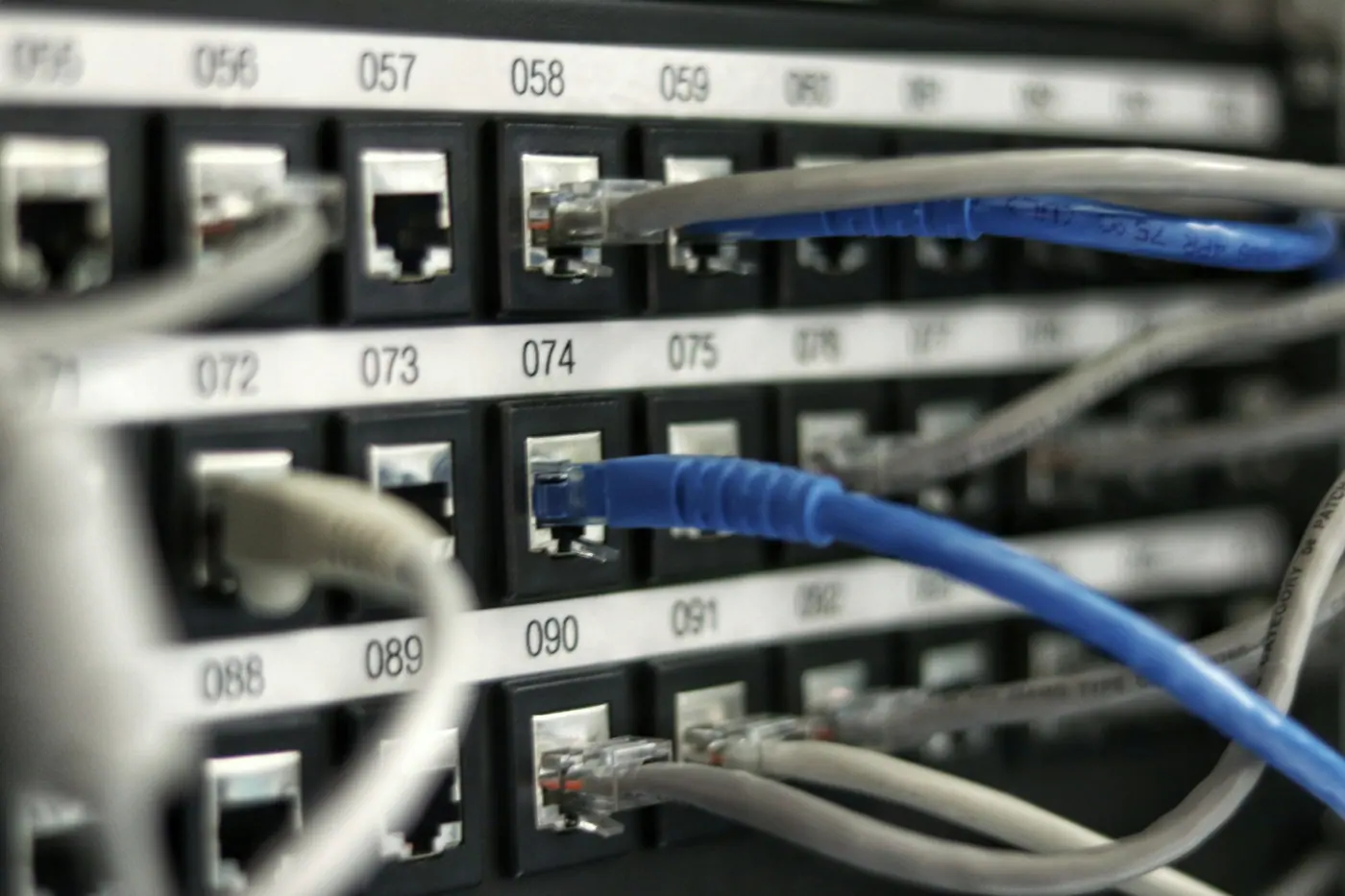
Almost every network problem we get called to in Pakistan traces back to the same origin: the cabling was installed by whoever was cheapest, nothing was labelled, and no drawing exists. The switch is rarely the fault. What costs organisations money is the two days an engineer spends tracing an unlabelled bundle to find out which of forty identical grey cables goes to the accounts office.
So we treat the passive infrastructure as the actual deliverable. Cat6 or Cat6A run to a proper standard, terminated on patch panels, tested and certified per run with results handed over, every port labelled at both ends, and a rack diagram you can put on the wall. The active equipment sits on top of that, and if the budget is tight we would rather specify a modest switch on good cabling than an expensive switch on bad cabling.
Wireless is designed rather than guessed. Access point placement is planned against the building’s construction — and in Pakistan that usually means thick masonry and concrete that behaves nothing like the open-plan assumptions in a vendor’s coverage calculator. Where it matters, we survey rather than estimate.
How we handle networking
Cabling certified and results handed over
Every run tested to category standard with a per-port certification report given to you. A cable that passes continuity but fails performance is invisible until the network is under load.
Labelled at both ends, always
Port, patch panel and outlet labelled to a consistent scheme, with a rack diagram and port schedule as part of handover. This is the single highest-value hour in any network installation.
Switching sized for growth and PoE budget
Port count specified with headroom, and PoE budget calculated against everything that will draw from it — access points, cameras, phones — rather than just what is being installed today.
Wireless designed for masonry buildings
Access point placement planned against the actual construction. Coverage predictions built for open-plan offices are consistently wrong in Pakistani buildings with load-bearing brick.
Segmentation configured from the start
Guest, staff, CCTV and management traffic separated onto their own VLANs at installation. Retrofitting segmentation onto a flat network later is far more disruptive.
Failover and uplink resilience
Where the business depends on connectivity we configure secondary uplink failover and verify it by actually pulling the primary link during commissioning.
From enquiry to working networking
These steps are specific to network equipment — the survey, the checks and the commissioning differ meaningfully by category.
Site walk and cable route survey
We walk the building, identify outlet positions, plan containment routes and find the constraints — firebreaks, existing conduit, listed structures, whatever is genuinely in the way.
Logical design
Addressing scheme, VLAN layout, PoE budget, uplink and failover plan documented before any equipment is ordered, so the hardware matches the design rather than the reverse.
Passive installation
Containment, cable pulling, termination on panels and outlets, then per-run certification testing with the report retained for handover.
Active configuration
Switches configured to the design, wireless controllers and access points provisioned, segmentation applied and management access secured on its own segment.
Commissioning and failure testing
We deliberately break things — pull the primary uplink, fail a link in the aggregate — and confirm the network behaves as designed while you watch.
Documentation pack
Rack diagram, port schedule, VLAN and addressing table, wireless coverage plan, certification results and credential schedule handed over as a set.
Common problems with networking — and what we do about them
These are the failures we are called in to fix. Each one is preventable at specification stage.
Nothing is labelled and no drawing exists
Full labelling at both ends plus a rack diagram and port schedule as a contractual deliverable, not an optional extra we skip when the day runs long.
WiFi drops in specific rooms
Access point placement planned against actual wall construction, with a post-installation coverage walk to confirm signal in the rooms that matter rather than in the corridor.
PoE budget exceeded when cameras are added later
PoE headroom calculated for planned future load at design time, so adding surveillance in year two does not mean replacing the switch.
Guest WiFi sitting on the same network as finance
VLAN segmentation configured at installation with inter-VLAN rules applied, isolating guest, CCTV and management traffic from business systems.
Cable that passes a continuity test but fails under load
Certification testing to category standard rather than a simple continuity check, with per-run results provided so you can hold anyone accountable later.
Building construction changes the wireless design here
A great deal of commercial and institutional building stock in Peshawar and across KPK is solid brick or reinforced concrete with thick internal walls — nothing like the partition-wall assumptions built into most vendor coverage tools. Signal that a calculator predicts will cover four rooms frequently covers one and a half. This is why we survey rather than model for anything beyond a small single-floor office, and why access point counts for KPK sites often come out higher than a remote estimate would suggest.
Networking — questions we get asked
Specific to this service line. If yours is not covered here, ask us directly and we will answer it properly.
What is the difference between a managed and unmanaged switch, and which do we need?
An unmanaged switch simply forwards traffic and cannot be configured; a managed switch lets you create VLANs, control port behaviour, monitor traffic and diagnose faults remotely. For an office of under about ten people with no guest network and no surveillance on the same infrastructure, unmanaged is genuinely adequate and we will say so. The moment you need to separate guest WiFi from business systems, put cameras on the network, or diagnose a problem without physically visiting the rack, managed becomes worth the difference — which on modern hardware is smaller than most people expect.
Is Cat6 worth it over Cat5e, given the cost difference in Pakistan?
The cable itself is a modest premium; the labour to pull it is identical, and the labour is the larger cost. Since you are paying an engineer to run cable through walls and containment either way, specifying Cat6 costs relatively little extra and gives you headroom for multi-gigabit equipment later. Where we would push harder for Cat6A is anywhere you expect high-density wireless or cameras on longer runs. What we would not do is re-pull existing serviceable Cat5e purely for the specification — if it certifies at gigabit and your equipment is gigabit, it is doing its job.
How many access points does our office actually need?
Density, not floor area, is what drives the answer. A calculator based on square metres will consistently under-specify for Pakistani buildings, because load-bearing brick and reinforced concrete attenuate signal far more than the drywall those models assume. As a rough starting point we plan one access point per twenty to twenty-five concurrent users in an office environment, then adjust for wall construction and for rooms where reliability genuinely matters — a boardroom or an exam hall. For anything above a single floor we would rather do a short site survey than guess.
Can you work with our existing cabling or does it all need replacing?
We test first and tell you what we find. Existing cabling that certifies to category standard is worth keeping, and we will happily build on it. What we frequently find in older Pakistani installations is a mix — some runs perfectly sound, others terminated poorly, kinked in containment, or run alongside mains cable in a way that induces interference. We will give you the per-run certification results and a costed list of only the runs that genuinely need redoing, rather than quoting a full replacement by default.
Do you provide the internet connection as well?
No — we install and configure the network inside your building, and the internet service comes from your ISP. What we do is design the edge so the connection you have is used properly: correct router configuration, secondary uplink failover where uptime matters, and quality-of-service rules so a large file transfer does not take down your video calls. We will also tell you frankly if the bottleneck you are experiencing is your internal network or your ISP link, which is a distinction that saves organisations a lot of money spent on the wrong problem.
Related services
These are usually specified alongside networking.
Security & Surveillance
CCTV, access control and monitoring — designed around what you actually need to see, with storage sized for the retention period you require.
Servers & Storage
Tower and rack servers, NAS and backup storage — sized honestly, racked properly, and commissioned with the power and cooling actually checked.
Computers & Laptops
Desktops, laptops and workstations sourced against your actual workload, imaged and asset-tagged before they reach your team.
Sectors we supply this to
The constraints differ considerably by sector — these pages set out how.
Education
Schools, colleges and universities — computer labs, smart classrooms, campus networks and the power to keep them running.
Banking & Finance
Branch networks, ATMs and back office — standardised rollouts, segmented networks, evidential surveillance and power that does not interrupt trading.
Corporate & SME
Growing companies and established businesses — office fit-outs, equipment refreshes, network builds and the support arrangement that follows.
Send us a floor plan and a headcount.
Even a rough sketch works. We will come back with outlet positions, switch sizing, access point placement and a cabling estimate for your building.